
THINKCAR ThinkScan 689BT Review: A Bidirectional Scan Tool for Serious DIYers
Disclosure: This post contains affiliate links. If you make a purchase through one of our links, we may earn a commission at no extra cost to you.
A basic OBD2 code reader tells you a check engine light is on. A bidirectional scan tool lets you dig into every module, command components to test them and run the service resets that used to need a dealer visit. The THINKCAR ThinkScan 689BT is THINKCAR’s top-selling scanner: an 8-inch Android tablet with a Bluetooth VCI, full-system diagnostics, ECU coding, 35+ service functions and AI repair guidance. It was selling for $499.94 (regular $639.94) on THINKCAR’s official store when we checked, and the product page showed a 4.93 average from 2,716 reviews.
For this ThinkScan 689BT review, we went through THINKCAR’s full feature list, specifications, FAQ and the store’s review breakdown, and compared it with the 689BT PRO and THINKCAR’s cheaper scanners. That should help you decide whether this tablet is the right level of tool for your garage.
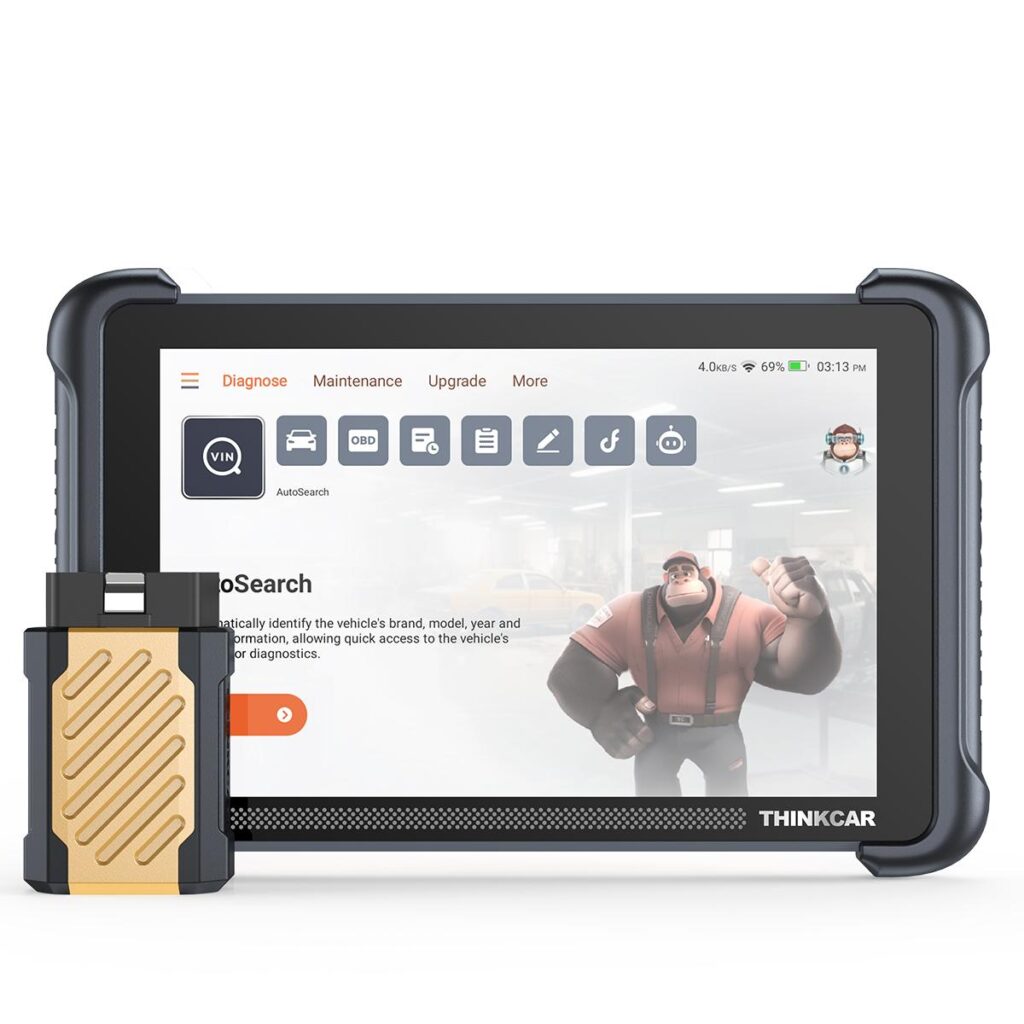
Quick Specs
- Price: $499.94 (regular $639.94)
- Screen: 8-inch touchscreen, 1280 × 800
- Processor and memory: 2.0GHz quad-core, 4GB RAM, 64GB storage
- Operating system: Android 10
- Connection: Bluetooth 5.0 VCI dongle, 2.4G/5G Wi-Fi for updates
- Battery: 4,150mAh
- Diagnostics: full-system scan, live data (up to 4 streams graphed), freeze frame
- Active tests: 3,000+ bidirectional tests, per THINKCAR
- Service functions: 35+ resets (oil, ABS bleeding, EPB, SAS, DPF and more)
- Protocols: CAN-FD and DoIP; AutoAuth for FCA secure gateway
- Coverage: 150+ car brands, per THINKCAR
- Languages: 30
ThinkScan 689BT Review: Key Features
Full-system diagnostics with AutoVIN
Plug the Bluetooth VCI into the OBD2 port and the 689BT identifies the vehicle by VIN, then scans every supported module (engine, transmission, ABS, airbags, body and more) and produces a diagnostic report. Live data can be viewed as numbers or graphs, with up to four data streams compared in one chart, which is especially useful for intermittent faults. Because the VCI is wireless, you can sit in the driver’s seat or work under the hood with the tablet in hand.
AI repair guidance
The newest addition is AI-assisted repair guidance. After a scan, it interprets fault codes, suggests likely causes and recommends what to check next. It doesn’t replace diagnostic experience, but it helps DIYers understand codes and gives pros a faster starting point.

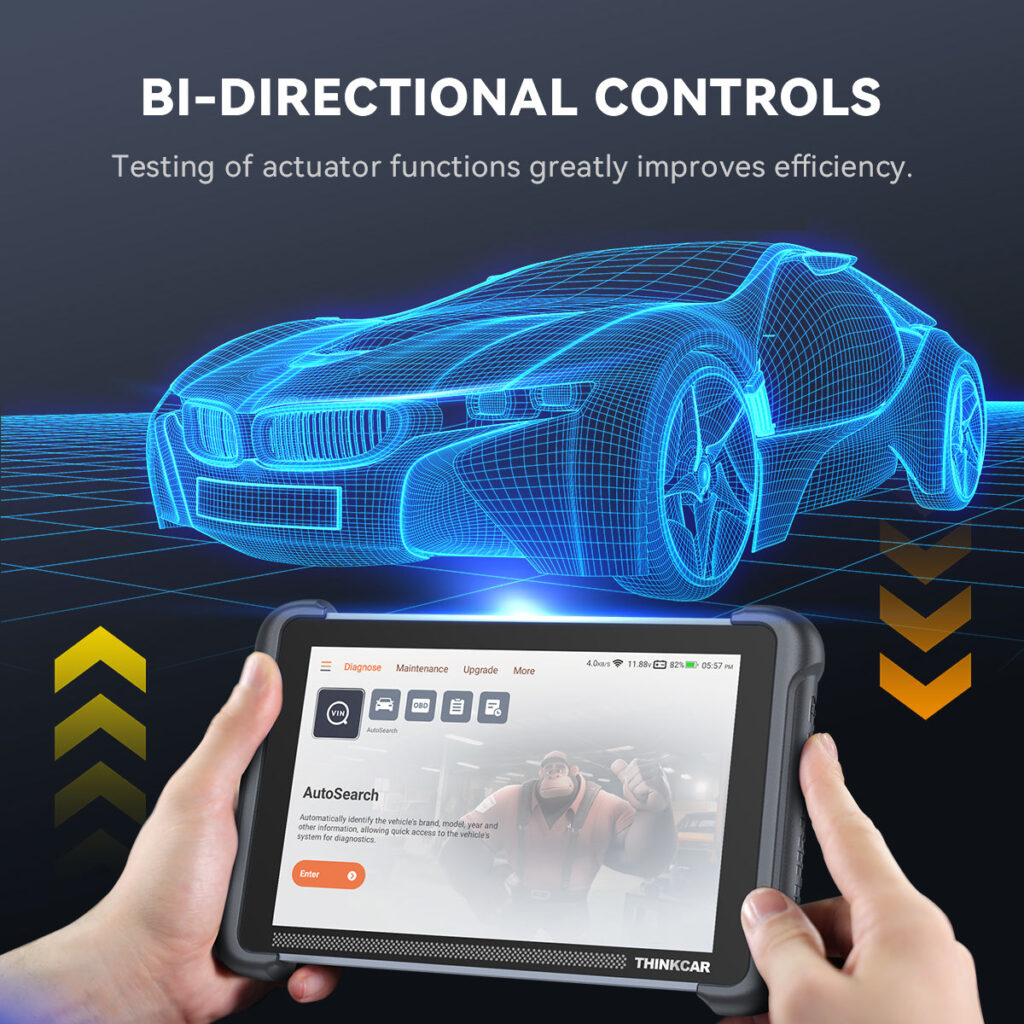
Bidirectional control
This is what separates the 689BT from code readers. You can send commands to supported components, such as pumps, valves, injectors, windows, mirrors, door locks and EVAP systems, and watch how they respond. THINKCAR quotes 3,000+ active tests. Being able to fire a component from the tablet saves a lot of guesswork when you’re trying to tell a bad part from a wiring problem.
35+ service resets and ECU coding
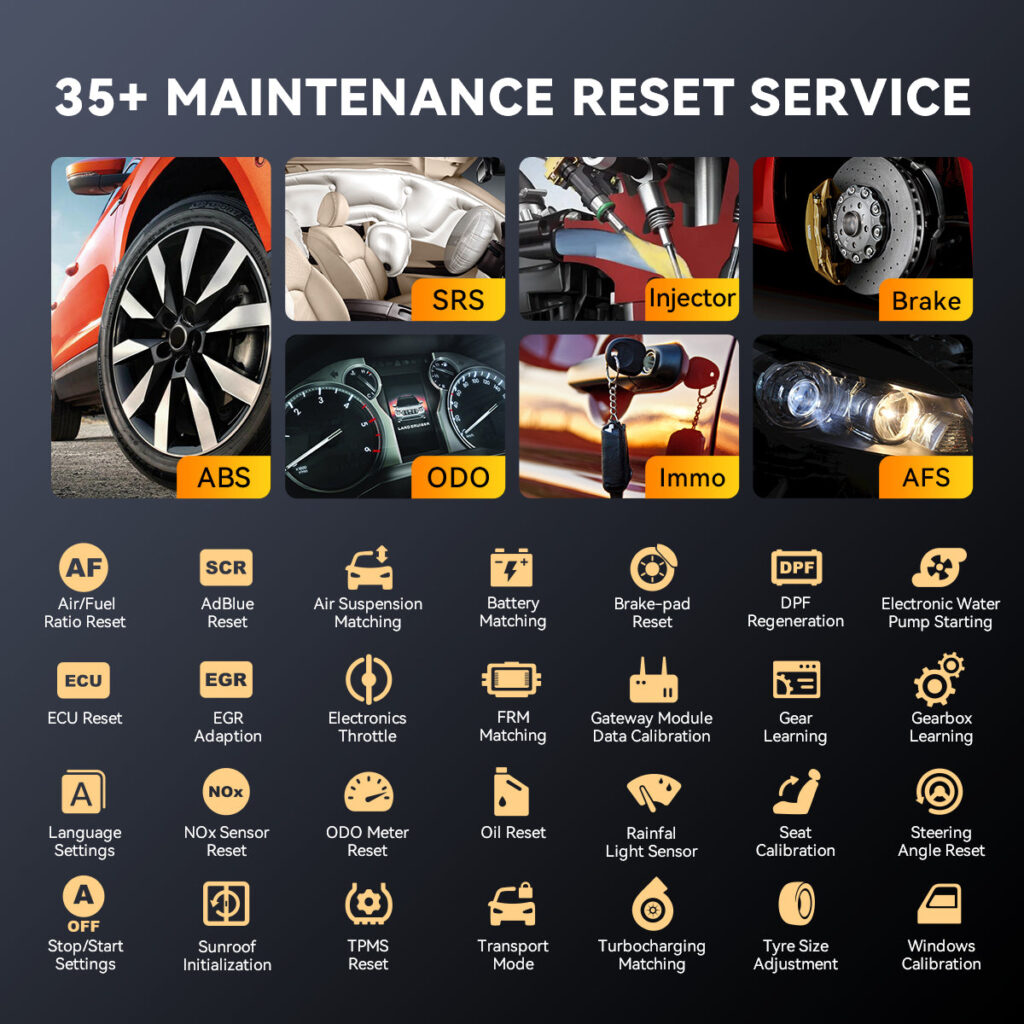
The service menu covers the jobs most home mechanics and small shops do regularly: oil service reset, ABS bleeding, electronic parking brake, steering angle calibration, DPF regeneration, battery registration, throttle relearn and more. ECU coding lets you match replaced modules and change supported settings on compatible vehicles. Coverage varies by make, model and year, so use THINKCAR’s vehicle compatibility checker for your car before buying.
Newer vehicles and FCA gateways
Support for CAN-FD and DoIP protocols matters if you work on newer vehicles from brands that have adopted them. AutoAuth access lets you get through the secure gateway on supported FCA (Chrysler, Dodge, Jeep, Ram) vehicles; THINKCAR also sells a $25.46 FCA 12+8 bypass adapter if you prefer a cable.
Expandable with add-on tools
The 689BT works with THINKCAR accessories such as the THINKTPMS VENU iPro sensor tool, a USB endoscope, an oscilloscope and a printer, so it can grow into a fuller diagnostic kit.
What’s in the Box
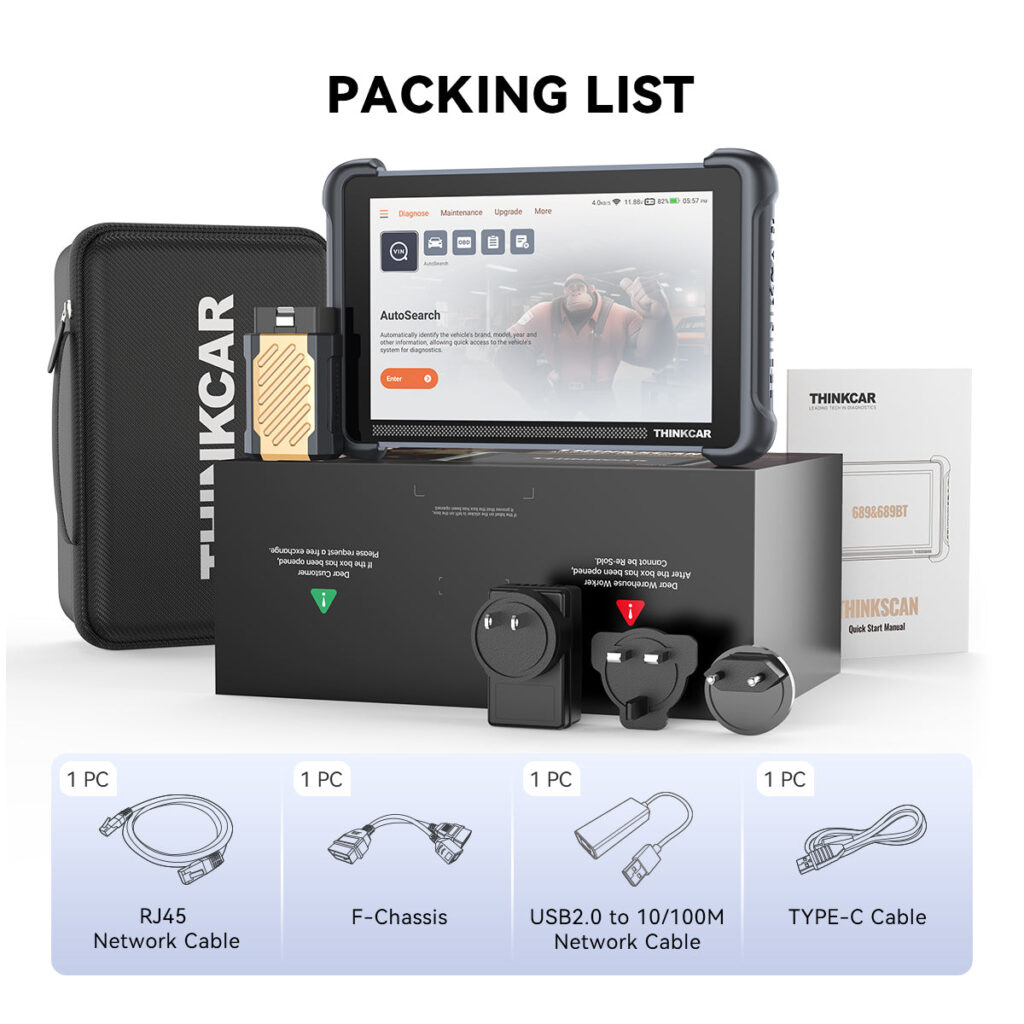
The packing list shows a hard carry case, the 689BT tablet, the Bluetooth VCI, a network cable, adapters and a USB-C cable.
What Customers Say
The review breakdown on the product page was 2,589 five-star, 100 four-star, 13 three-star, 2 two-star and 12 one-star reviews. Buyers repeatedly mention the value for money, the free updates and how the graphing and built-in troubleshooting save time compared with basic scanners. One reviewer who worked as a mechanic decades ago said it helped him get back up to speed with modern vehicles.
Keep in mind that these reviews are hosted on THINKCAR’s own store. For a more independent view, THINKCAR’s store-level Trustpilot score was 4.8/5 from 833 reviews, and the product page links to several YouTube reviews from independent channels.
How It Compares With Other THINKCAR Scanners
| Scanner | Price | Type | Best for |
|---|---|---|---|
| ThinkScan 689BT (this one) | $499.94 | 8″ tablet, Bluetooth VCI | Serious DIYers and small shops |
| ThinkScan 689BT PRO | $799.00 | Adds topology mapping and J2534 pass-thru | Advanced network diagnostics and OEM programming |
| ThinkScan 662 | $195.95 | Handheld scanner | Budget buyers who need fewer features |
| ThinkDiag 2 | $159.00 | Bluetooth dongle with phone app | Using your own phone as the screen |
One important point from THINKCAR’s FAQ: you can’t upgrade a 689BT to the PRO later. The PRO’s topology mapping and J2534 pass-thru are hardware features, so if you think you’ll need OEM programming, buy the PRO from the start. For most home mechanics, the standard 689BT already covers far more than they’ll use.
Who It’s For
- Serious DIY mechanics who want dealer-level diagnostics at home.
- Small independent shops looking for an affordable bidirectional tool.
- Owners of newer cars that use CAN-FD or DoIP, or FCA vehicles with secure gateways.
- Anyone tired of paying for diagnostics and basic service resets.
Who It’s Not For
- Drivers who just want to read a check engine code: a cheaper code reader or ThinkDiag 2 is enough.
- Shops needing J2534 programming or topology mapping: go straight to the 689BT PRO.
- Owners of unusual or very old vehicles: check compatibility first.
ThinkScan 689BT Review: Pricing, Shipping and Warranty
The 689BT costs $499.94 on the THINKCAR official store, and when we checked, an extra $25 auto-applied discount brought the final price to $474.94 for a limited time. THINKCAR says it ships within 1–3 business days, with most international orders fulfilled from its China warehouse, so delivery times vary by destination. The store offers 30-day returns, a 1-year warranty and lifetime support, and the product title advertises lifetime free updates.
Pros and Cons
Pros
- Full-system diagnostics with bidirectional control and ECU coding
- 35+ service resets for common maintenance jobs
- Wireless Bluetooth VCI and 8-inch touchscreen
- CAN-FD, DoIP and FCA AutoAuth support
- AI repair guidance helps interpret fault codes
- Lifetime free updates advertised; strong customer ratings
Cons
- Can’t be upgraded to the PRO’s J2534 and topology features later
- Vehicle coverage varies, so check compatibility first
- Most international orders ship from China
- Only a 1-year hardware warranty
- THINKCAR’s own listing gives both “34+” and “35+” maintenance functions
FAQ
Is the ThinkScan 689BT bidirectional?
Yes. It supports bidirectional active tests on supported vehicle systems and components.
Does the ThinkScan 689BT have free updates?
THINKCAR advertises lifetime free updates for the 689BT, delivered over Wi-Fi.
Can I upgrade the 689BT to the 689BT PRO?
No. The PRO adds topology mapping and J2534 pass-thru hardware, which can’t be added to the standard model.
Does it work on FCA vehicles with a secure gateway?
Yes, on supported vehicles through AutoAuth.
What languages does it support?
30 languages, including English, Spanish, French, German and Vietnamese.
ThinkScan 689BT Review: Bottom Line
The THINKCAR ThinkScan 689BT gives home mechanics and small shops the main features of a professional scan tool for around $500: full-system diagnostics, bidirectional tests, ECU coding, 35+ service resets and a wireless VCI, plus AI guidance to make sense of the codes. Check your vehicle’s compatibility first and decide upfront whether you’ll ever need the PRO’s programming features. If not, the 689BT is a strong, well-rated choice.
That wraps up our ThinkScan 689BT review. Check current pricing and vehicle compatibility on the official THINKCAR store.
You might also like: BUTURE Beta07 Car Jump Starter Review and Fanttik X9 Pro Tire Inflator Review.

Pingback: Stitchingcover Steering Wheel Cover Review: Ford F-150 Fit