
ProtoArc EM11 NL Review: A $27 Vertical Mouse Made for Smaller Hands
Disclosure: This post contains affiliate links. If you make a purchase through one of our links, we may earn a commission at no extra cost to you.
Most vertical mice are designed around an average-to-large male hand. That leaves anyone with smaller hands either stretching for the buttons or giving up on ergonomic mice altogether. The ProtoArc EM11 NL takes the opposite approach. It’s a slim vertical mouse that ProtoArc sizes specifically for hands under 7.5 inches, priced at $26.99 after an auto-applied $5 coupon. It’s marked as a Best Seller on ProtoArc’s store and carries a 4.8/5 rating from 119 reviews.
For this guide, we went through ProtoArc’s full product listing and spec sheet, the 17 customer questions answered on the product page (which turn up a few details the main listing doesn’t mention), and the verified-buyer reviews. We also compared it with ProtoArc’s other ergonomic mice, so you can tell whether the EM11 NL or one of its siblings suits your hand.
Quick Overview
- Price: $26.99 with the auto-applied coupon ($31.99 regular)
- Hand size: Designed for small to medium hands under 7.5 inches
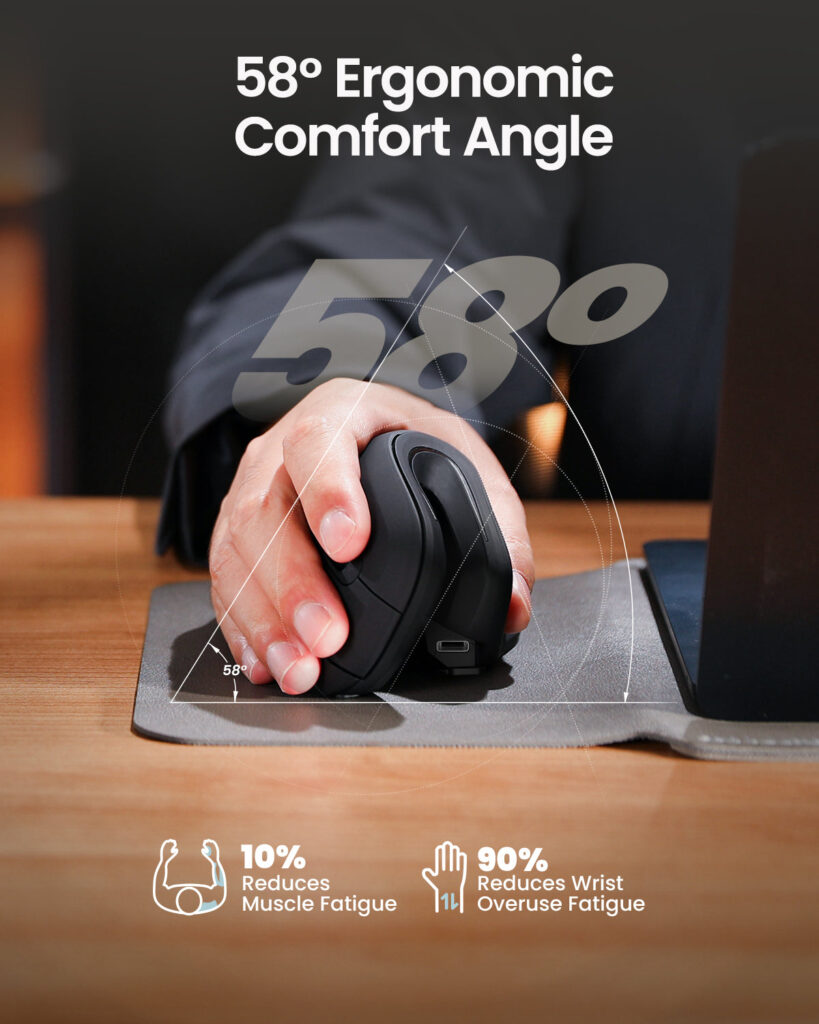
- Grip angle: 58°, according to ProtoArc
- Connectivity: 2.4GHz USB-A receiver plus two Bluetooth channels (3 devices)
- DPI: 1000 / 1600 / 2400
- Buttons: Quiet left/right clicks, forward/back side buttons, DPI button
- Battery: 500mAh rechargeable via USB-C
- Size and weight: 68.1 × 69.2 × 138 mm, 112 g
- Range: Up to 8 m (26 ft)
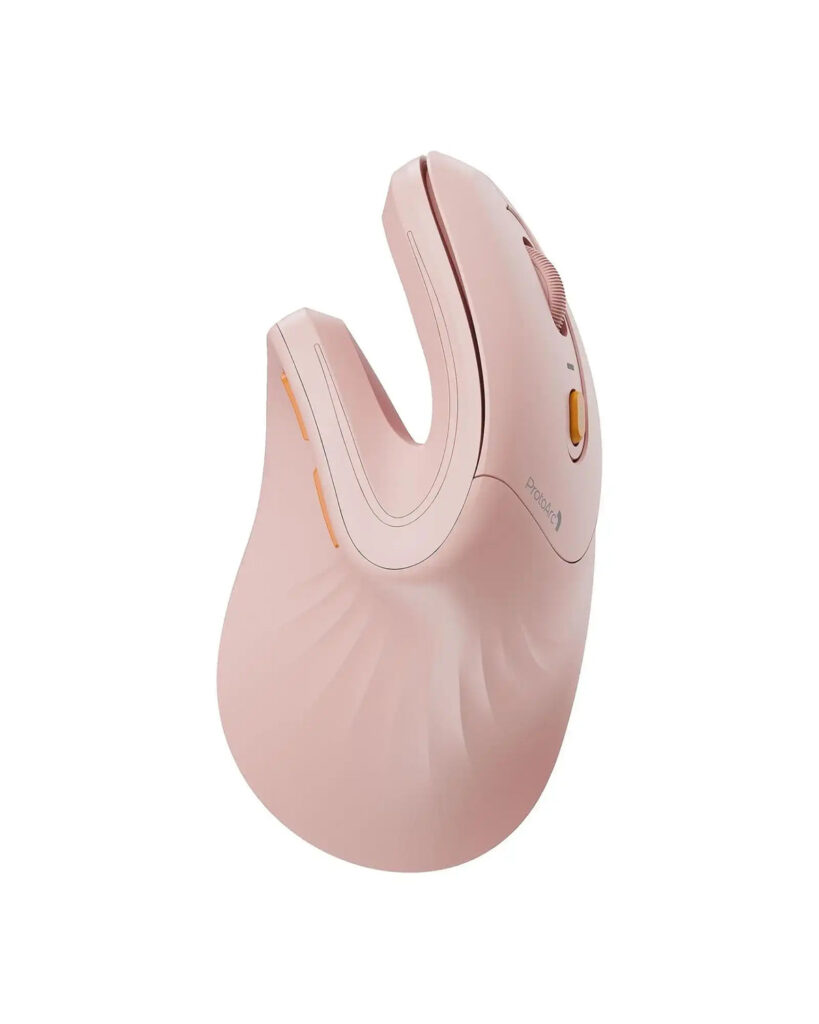
- Colours: 11, including black, white, blue, pink, green, purple and gold options
Key Features
A vertical shape scaled down for smaller hands
Like any vertical mouse, the EM11 NL turns your hand into a handshake position, so your forearm isn’t twisted flat against the desk. ProtoArc puts the angle at 58° and adds an extended wrist rest at the base. What sets this model apart is the size. It’s 138 mm long and weighs just 112 g, and ProtoArc tells buyers to measure their hand first: it’s meant for hands under 7.5 inches. Many reviewers mention wrist, shoulder or arthritis pain improving after switching. As always with ergonomic gear, results vary from person to person.
Three devices, one mouse
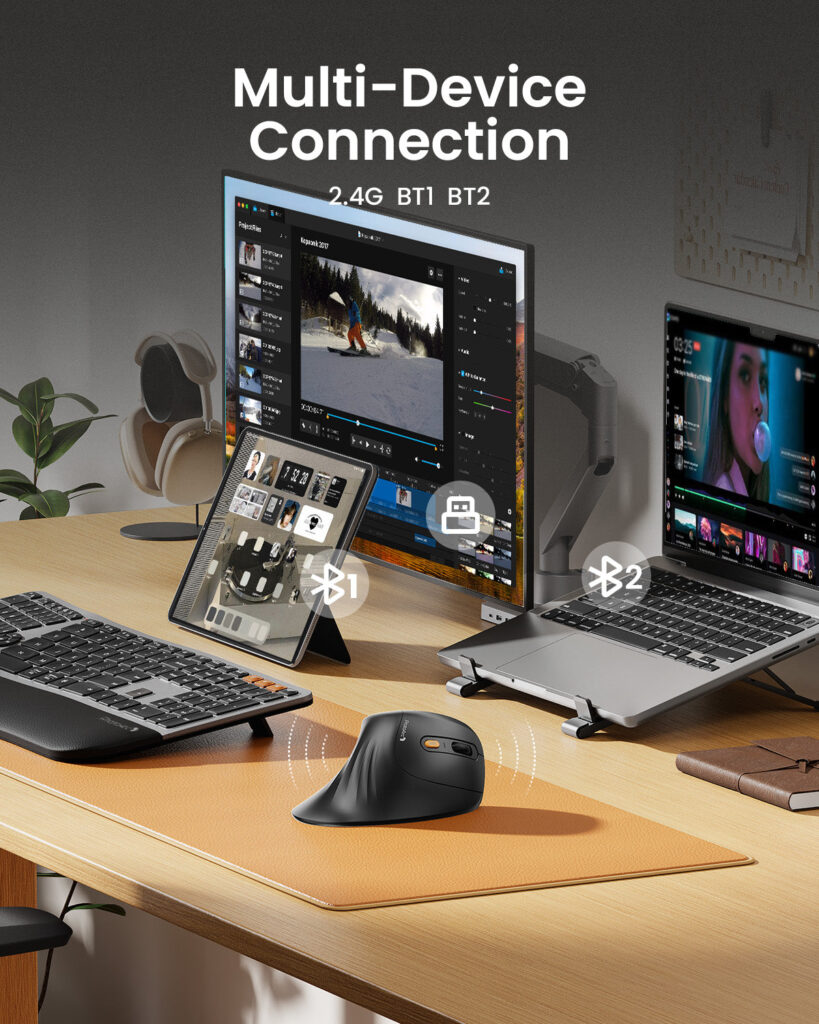
You can pair one device through the USB receiver and two more over Bluetooth, then switch between them. That’s useful if you move between a work laptop, a personal computer and a tablet. The listing works with Windows, macOS and Android. One small inconsistency: the bullet points say Bluetooth 5.0, while the description section says Bluetooth 4.0. In practice, both versions pair with any modern laptop.
Quiet clicks and simple controls
The main buttons are silenced, which is welcome in shared offices or late at night. There are forward and back thumb buttons for browsing, and a DPI button that cycles through 1000, 1600 and 2400. A small red light flashes once, twice or three times to show which DPI level you’re on, a detail that’s explained in ProtoArc’s Q&A rather than the main listing.
USB-C rechargeable
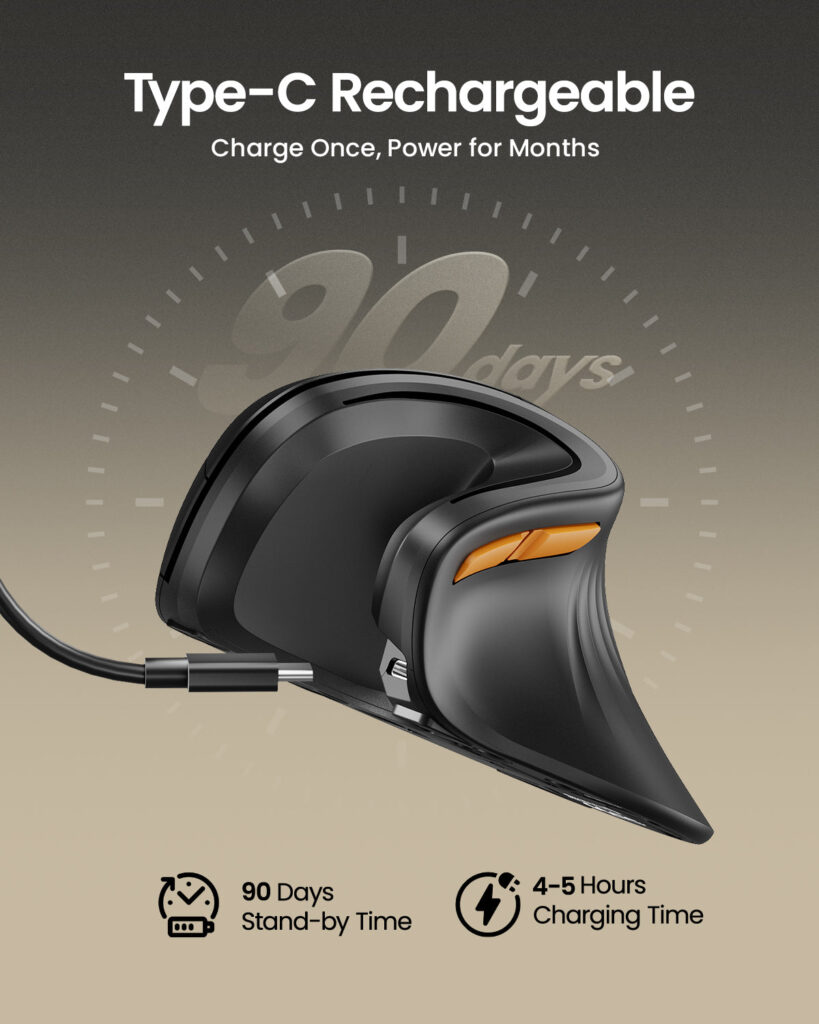
A built-in 500mAh battery charges over USB-C. ProtoArc’s product images claim up to 90 days of standby time and a 4–5 hour charge. ProtoArc says you can use the mouse while it’s charging, but recommends letting it charge fully first for long-term battery health.
What the Q&A and Reviews Reveal
ProtoArc’s answers to customer questions fill in a few details buyers often ask about:
- The scroll-wheel click can’t be disabled. One buyer kept pressing it by accident while scrolling, and ProtoArc confirmed there’s no way to turn the click off.
- Polling rate is 125Hz over Bluetooth and 250Hz with the USB receiver. That’s fine for office work but far below gaming mice.
- There’s no on-screen DPI indicator. You count the flashes on the mouse instead.
The reviews are overwhelmingly positive: 96 five-star, 17 four-star, 6 three-star and none lower. Common themes are comfort, relief from wrist or shoulder strain, and the multi-device switching. One reviewer, buying through work, said it’s “cheaper than medical bills.” The lower ratings are about fit and adjustment rather than defects. One buyer titled their review “A little small,” and another noted it took a few days to get used to the vertical grip. A heavy user who gave it three stars called it sleek and comfortable but said it “needs some fixes.”
EM11 NL vs. ProtoArc’s Other Ergonomic Mice
| Mouse | Price | Best for | Key differences |
|---|---|---|---|
| EM11 NL (this one) | $26.99 | Small to medium hands | Slim, 112 g, 3 DPI levels, 3 devices |
| EM11 Pro | From $39.99 | Medium to large hands | Customisable buttons, horizontal scroll, up to 7200 DPI |
| EM01 NL Trackball | $37.99 | Limited desk space | Thumb trackball, adjustable hinge |
| EM05 NL Trackball Vertical | $48.99 | Trackball plus vertical grip | Combines both designs |
The choice mostly comes down to hand size. If your hand is longer than about 7.5 inches, the EM11 Pro is ProtoArc’s model for larger hands and adds software customisation and horizontal scrolling for $13 more. If you’d rather not move the mouse at all, the trackball models are the alternative. For smaller hands and basic office work, the EM11 NL is the cheapest and simplest option in the range.
Who It’s For
- People with smaller hands who find standard vertical mice too bulky.
- Office and remote workers with wrist, forearm or shoulder discomfort from a flat mouse.
- Multi-device users who switch between a laptop, desktop and tablet.
- Shared workspaces, thanks to the quiet clicks.
- Budget buyers trying a vertical mouse for the first time.
Who It’s Not For
- Large hands: ProtoArc points you to the EM11 Pro instead.
- Gamers: a 125–250Hz polling rate and 2400 DPI maximum aren’t built for gaming.
- Left-handed users: ProtoArc’s listing and images show a right-handed shape only.
- Anyone who often clicks the scroll wheel by accident: that click can’t be turned off.
- People who want button remapping software: that’s an EM11 Pro feature.
Pricing
On the ProtoArc official store, the EM11 NL lists at $31.99 and drops to $26.99 with an auto-applied $5 coupon. All 11 colours are the same price. In the box you get the mouse, the USB receiver and a user manual. ProtoArc offers free shipping on eligible orders (US orders typically arrive in 2–3 business days), 30-day returns and a 2-year limited hardware warranty.
Two money-saving notes from the listing: ProtoArc applies a bulk discount of 10% for 5+ units and 15% for 50+ units, which suits office kit-outs. There’s also a 15% bundle discount if you add the EK01 Plus ergonomic keyboard and MP50 wrist-rest mouse pad.
Pros and Cons
Pros
- One of the few vertical mice sized for hands under 7.5 inches
- Light at 112 g, with an extended wrist rest
- Switches between three devices
- Quiet main clicks
- USB-C rechargeable
- 4.8/5 from 119 reviews, with no 1- or 2-star ratings
- Low price, 11 colours, 2-year warranty
Cons
- Too small for larger hands
- Scroll-wheel click can’t be disabled
- Basic 3-step DPI and no customisation software
- Low polling rate, so not for gaming
- Bluetooth version listed inconsistently (4.0 vs 5.0)
- No left-handed version listed
FAQ
Is the ProtoArc EM11 NL good for small hands?
Yes. That’s what it’s designed for. ProtoArc recommends it for hands under 7.5 inches and suggests measuring your hand before ordering.
Can it connect to more than one computer?
Yes. It pairs with up to three devices: one via the USB receiver and two via Bluetooth.
How do I know which DPI setting I’m on?
Press the DPI button. The red light flashes once for 1000, twice for 1600 and three times for 2400.
Can I use it while it’s charging?
Yes, according to ProtoArc, although it recommends a full charge first for better long-term battery health.
Is it good for gaming?
Not really. Its polling rate is 125Hz over Bluetooth and 250Hz with the receiver, which suits office work rather than fast games.
Bottom Line
The ProtoArc EM11 NL does one thing especially well: it brings a vertical, wrist-friendly grip to people whose hands are too small for most ergonomic mice, and it does it for under $30. Multi-device switching, quiet clicks and USB-C charging make it a practical everyday office mouse, and nearly 120 mostly five-star reviews back that up. If your hands are larger, or you want customisable buttons, step up to the EM11 Pro. Otherwise, this is an easy, low-risk way to try a vertical mouse.
Check colours and the current coupon on the ProtoArc official store.
You might also like: RAWM ER21PRO Ergonomic Wireless Gaming Mouse Review and NuPhy Air75 V3 Low-Profile Keyboard Review.

Pingback: COLAMY ATLAS Review: Ergonomic Mesh Office Chair for $299