
TESmart DKS202-M24 Review: The Best Dual 8K KVM Switch?
Running two PCs on one desk usually means either buying two of everything or constantly unplugging cables. The TESmart DKS202-M24 is built to solve that with a single keyboard, mouse, and pair of monitors shared cleanly between two computers. It’s currently TESmart’s best-selling KVM switch, backed by a 5.0-star average across 174 verified reviews, so we took a close look at what it actually offers.
TESmart DKS202-M24: Quick Overview
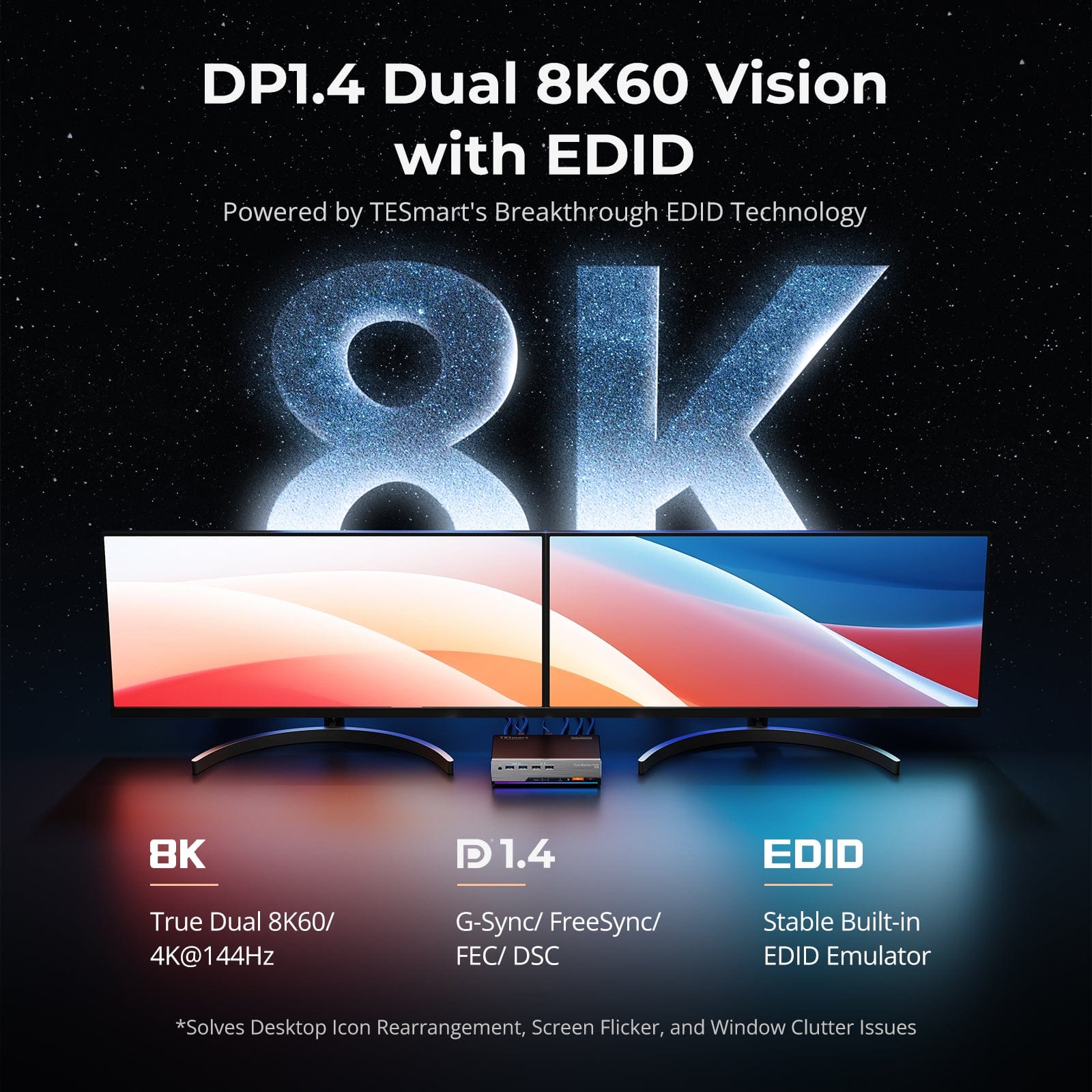
The DKS202-M24 is a DisplayPort 1.4 KVM switch designed for 2 PCs and 2 monitors, supporting resolutions up to 8K@60Hz with backward compatibility down to 4K@60Hz, 120Hz, and 144Hz. TESmart’s smart EDID emulation is the core feature here: it keeps your display configuration stable across switches so you don’t get resolution resets, flicker, or icon rearranging every time you swap computers.
Key Features
- High-resolution support: Up to 8K (4320p) @ 60Hz, with 4K modes at 60Hz, 120Hz, and 144Hz for smoother gaming.
- Smart EDID emulation: Preserves display layout and prevents flicker or resets when switching between PCs.
- G-Sync and FreeSync support: Along with FEC and DSC, aimed at keeping variable refresh rate gaming smooth through the switch.
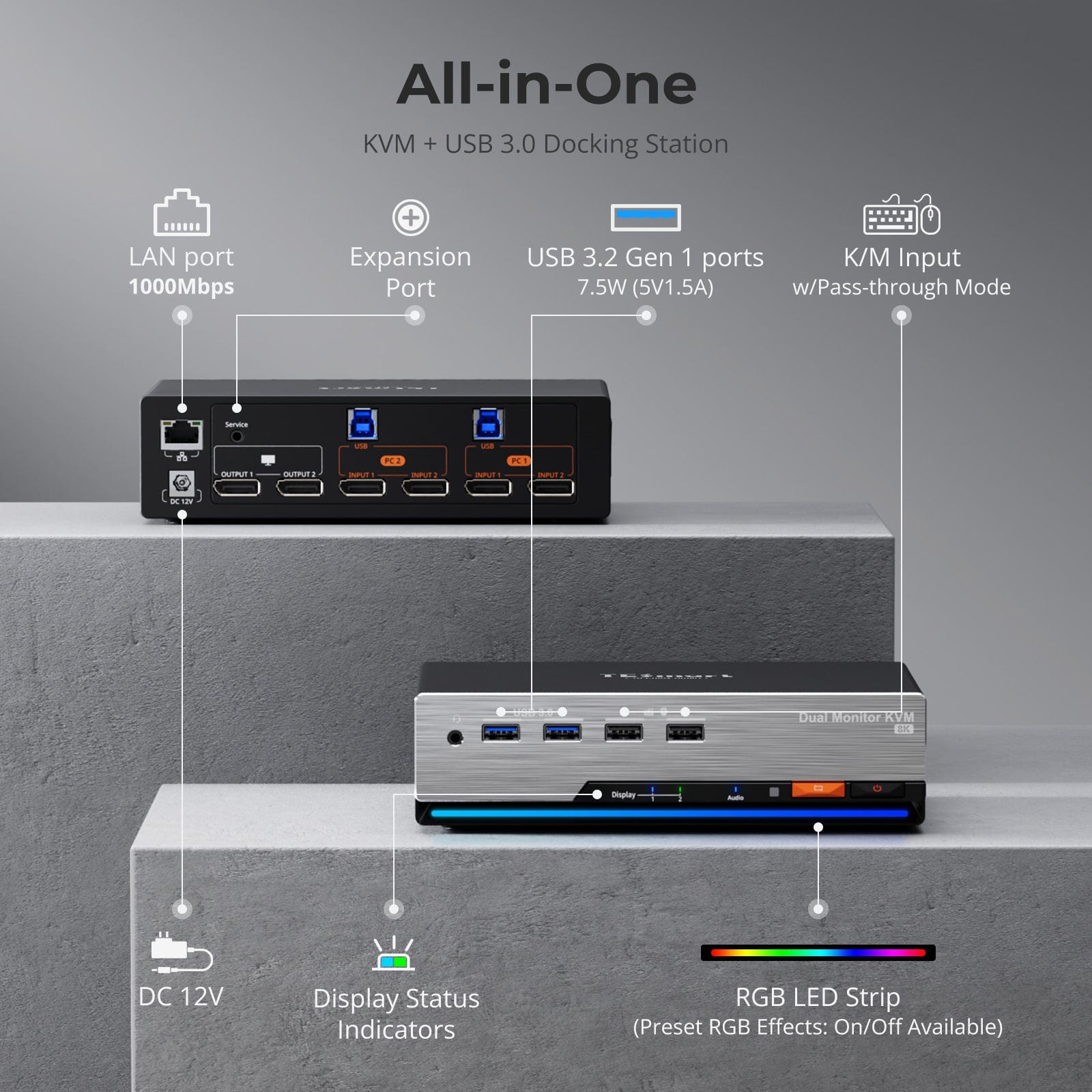
- Built-in docking station: USB 3.0 (5Gbps), Gigabit Ethernet, and a 3.5mm headset jack, so you don’t need a separate hub.
- Independent USB and audio focus lock: Lets you keep peripherals tied to one system independently of display switching.
Who Is the DKS202-M24 For?
This is built for anyone regularly moving between two computers on the same desk: developers juggling a work and personal machine, streamers running a gaming PC alongside a streaming rig, and power users with mixed Mac and PC setups. Reviewers specifically mention using it to share dual monitors between two laptops or desktops without losing display settings, and TESmart positions it for design, finance, and gaming setups where a stable, high-refresh signal matters.
Pricing
The TESmart DKS202-M24 is priced at $329.90 and ships free to the US and UK in 3 to 5 business days. TESmart backs it with 30-day free returns, a trade-in program offering up to 50% credit toward future purchases, and an extended warranty of 1+4 years when you register the product.
Pros and Cons
Pros: stable EDID emulation that avoids the flicker and resolution resets common on cheaper KVM switches, genuine 8K@60Hz and 4K@144Hz support, built-in USB/Ethernet/audio docking station, strong review average (5.0 stars across 174 reviews), solid warranty and trade-in support.
Cons: premium price compared to basic KVM switches, one reviewer noted the housing looks like metal but is actually plastic, and another mentioned occasional issues waking a sleeping device without reconnecting the USB cable.
Frequently Asked Questions
What resolutions and refresh rates does it support? Per TESmart’s specs, the DKS202-M24 supports DP 1.4 at up to 32.4 Gbps, covering 7680×4320@60Hz, and 3840×2160 at 60Hz, 120Hz, and 144Hz.
Does it work with gaming displays? Yes, it supports G-Sync and FreeSync variable refresh rate technology, along with HDR, making it suitable for gaming setups spanning two PCs.
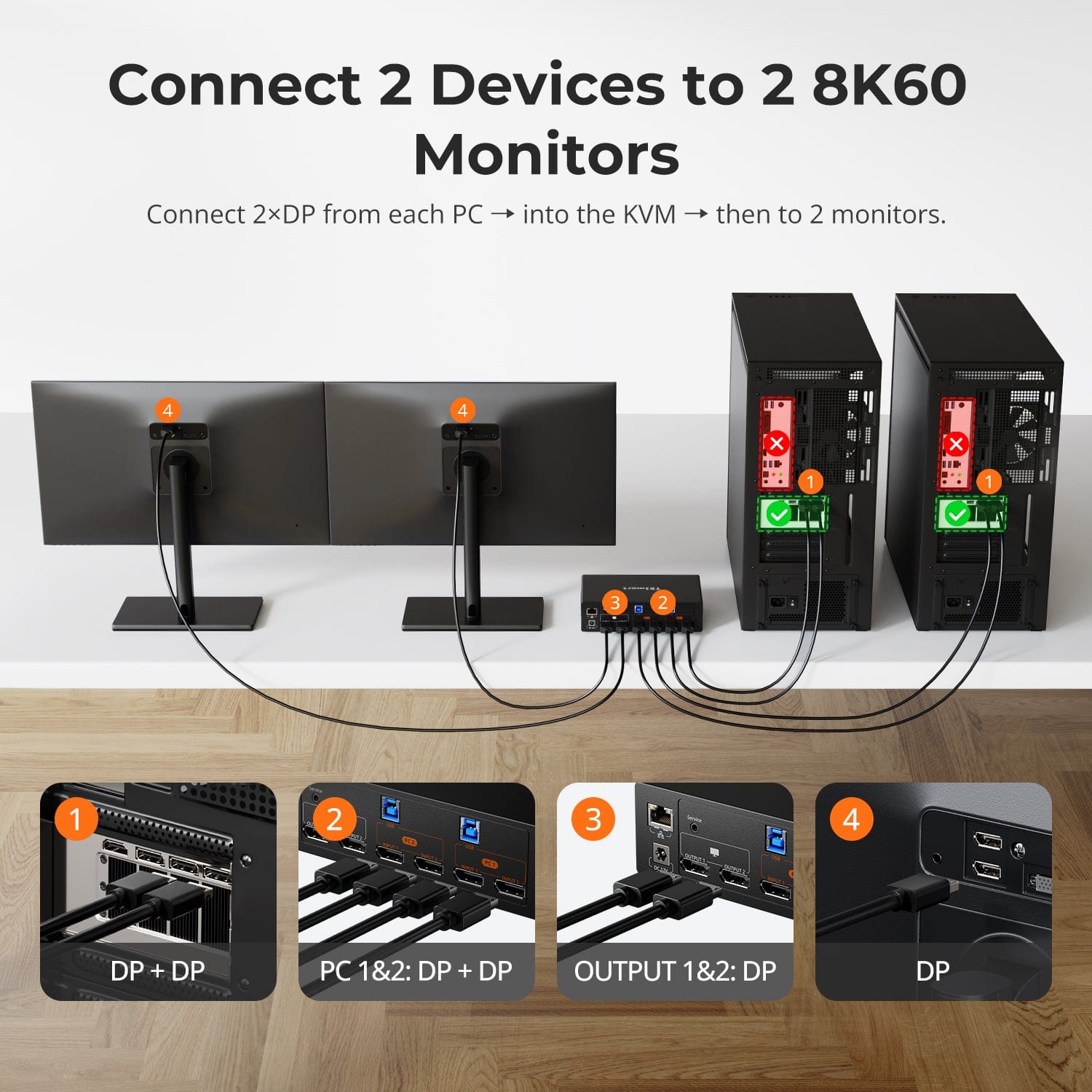
What’s included with the dock? Beyond KVM switching, it includes a built-in USB 3.0 hub, Gigabit Ethernet port, and a 3.5mm audio jack, so it can double as a docking station. Full setup and connection details are on the TESmart product page.
Final Verdict
For anyone running two high-refresh monitors across two PCs, the DKS202-M24 solves a real pain point that budget KVM switches often struggle with: stable EDID handling at high resolutions. Between the review scores and the docking-station extras, it’s a reasonable pick if you need a dependable dual-PC, dual-monitor setup. Check current pricing and configuration options on the TESmart DKS202-M24 product page.
For more workstation and creator gear reviews, browse our Tech & Gadgets category.